Getting Started with cURL
Focused on : Product Design and Development
Code Architecture, Scaling, Data processing
Team building and co-ordinate with management
Use of AI Agent to build effective web applications
Building Live real time B2C business platforms
cURL Explained Simply
A Beginner-Friendly Guide Inspired by “Everything cURL”
1. Before cURL: What Is a Server and Why Do We Talk to It?
Every modern application—websites, mobile apps, backend systems—depends on servers.
A server is simply:
A computer that waits for requests and sends responses.
Examples:
A browser asks a server for a web page
A mobile app asks a server for user data
A backend service asks another service for information
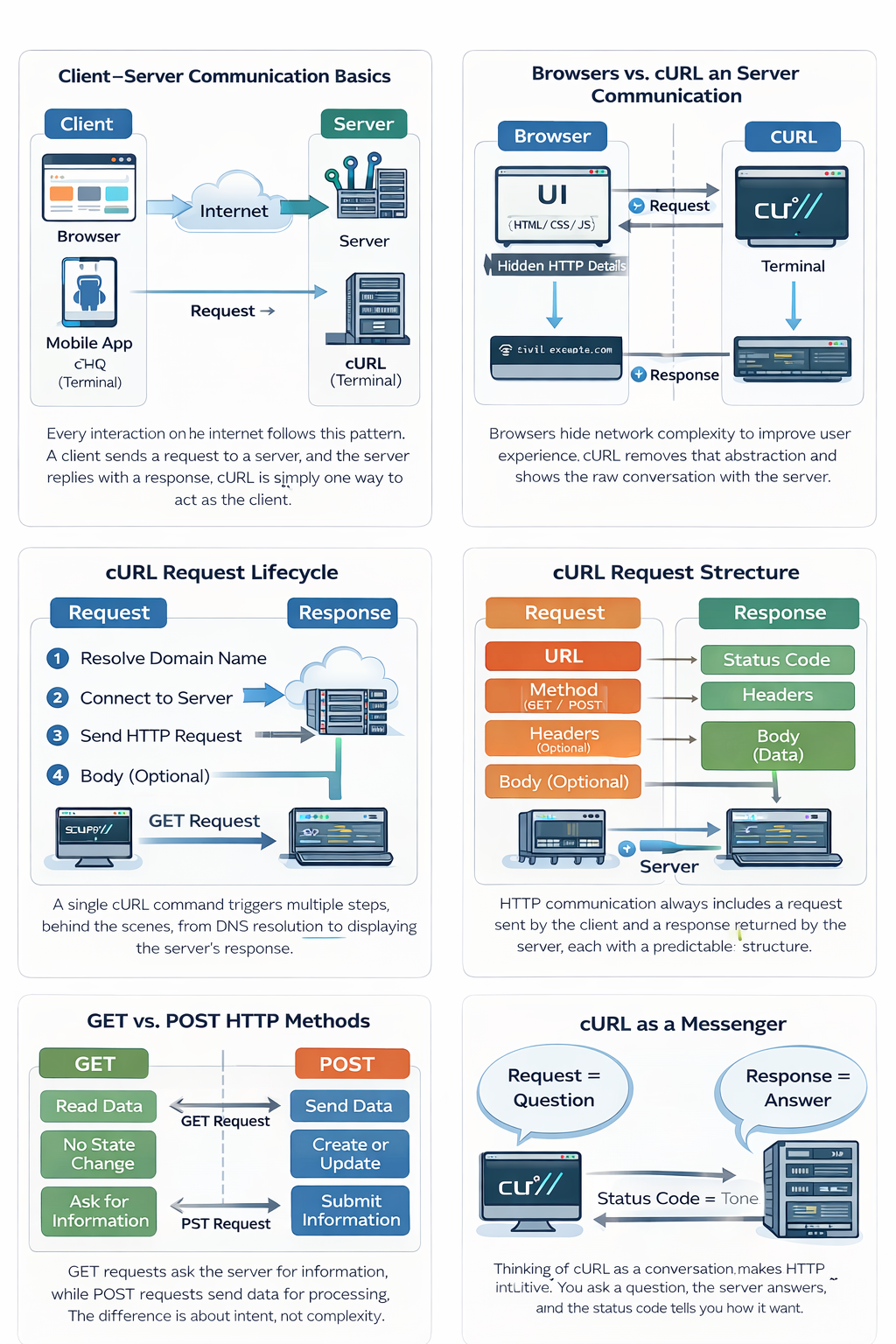
All of these interactions follow the same fundamental pattern described in Everything cURL:
Client → Request → Server → Response → Client
To understand cURL, we must first accept one idea:
The internet is just structured conversations between computers.
2. What Is cURL? (Conceptual Definition)
According to the book, cURL is:
A client-side tool
Designed to transfer data
Using URLs
Over many network protocols (HTTP being the most common)
In very simple terms:
cURL is a command-line program that lets you send requests to servers and see their responses directly.
Think of cURL as:
A browser without buttons
A messenger without decoration
A direct line between you and the server
This directness is why cURL is so valuable for learning.
3. Why Programmers Need cURL (Not Optional Knowledge)
The book makes this clear implicitly:
cURL exists because developers need visibility and control.
Programmers use cURL to:
Test servers without building a UI
Understand what an API really returns
Debug failures at the protocol level
Automate requests in scripts
Reproduce production issues locally
Key idea:
Browsers hide complexity. cURL reveals it.
If you can explain a system using cURL, you actually understand it.
4. Your First cURL Request (The Smallest Possible Step)
The most important learning moment is the first successful request:
curl https://example.com
What happened internally (as described conceptually in the book):
cURL created an HTTP request
It connected to the server
It asked for the default resource
The server responded with data
cURL printed that response
No magic.
Just a request and a response.
This single command demonstrates the entire client–server model.
5. Understanding Requests and Responses (Core HTTP Idea)
Everything cURL emphasizes that HTTP is a request–response protocol.
The Request Contains:
Where the request is going (URL)
What action is being requested (method)
Optional data and metadata
The Response Contains:
A status code (what happened)
Headers (metadata)
A body (actual data)
At beginner level, remember only this:
The server always explains what happened.
You just need to read the response.
6. GET and POST: Only the Essentials
The book covers many HTTP methods, but beginners should start with two.
GET — Asking for Data
Used when:
You want to read information
You are not changing server state
Example:
curl https://api.example.com/users
Mental model:
“Please give me this information.”
POST — Sending Data
Used when:
You want to submit something
You want the server to process input
Conceptually:
“Here is some data. Please do something with it.”
At this stage:
Do not memorize flags
Understand intention, not syntax
7. Using cURL to Talk to APIs
The book explains that APIs are just servers optimized for programs, not humans.
Key differences:
APIs return structured data (often JSON)
There is no visual layout
The response is meant to be parsed
Example:
curl https://api.github.com
This shows:
APIs are just URLs
cURL treats them like any other server
The only difference is the data format
This is how:
Frontend talks to backend
Microservices talk to each other
Automation systems work
8. Common Beginner Mistakes (Aligned with the Book’s Philosophy)
Mistake 1: Treating cURL as a Download Tool
Reality:
cURL is a network client, not a downloader.
Mistake 2: Fear of the Terminal
Reality:
The terminal is simply a precise interface.
Mistake 3: Learning Flags Before Concepts
Reality:
Flags make sense only after the request–response model is clear.
Mistake 4: Ignoring the Response
Reality:
The response always contains the truth.
The book consistently encourages reading responses carefully.
9. The Most Important Mental Model (Take This Forward)
If you remember only one thing:
cURL is not a command.
It is a conversation.
You ask something
The server answers
The status tells you how it feels about your request
Once this clicks:
APIs stop being scary
Backend systems become understandable
Debugging becomes logical
10. Learning Outcomes (What Students Should Now Be Able to Say)
After this lesson, a student should confidently say:
I understand what a server is
I know what cURL does
I can make a basic request
I understand request vs response
I know when to use GET vs POST
I am comfortable exploring APIs
This is exactly the foundation Everything cURL expects before depth.
*Note: New latest visuals would be uploaded soon with detailed information